Keep the reason beside the request.
Create a ticket linked to the customer conversation. Your team can refer to what was asked, what was tried, and what the customer was told.

TICKETS / SENTRODESK
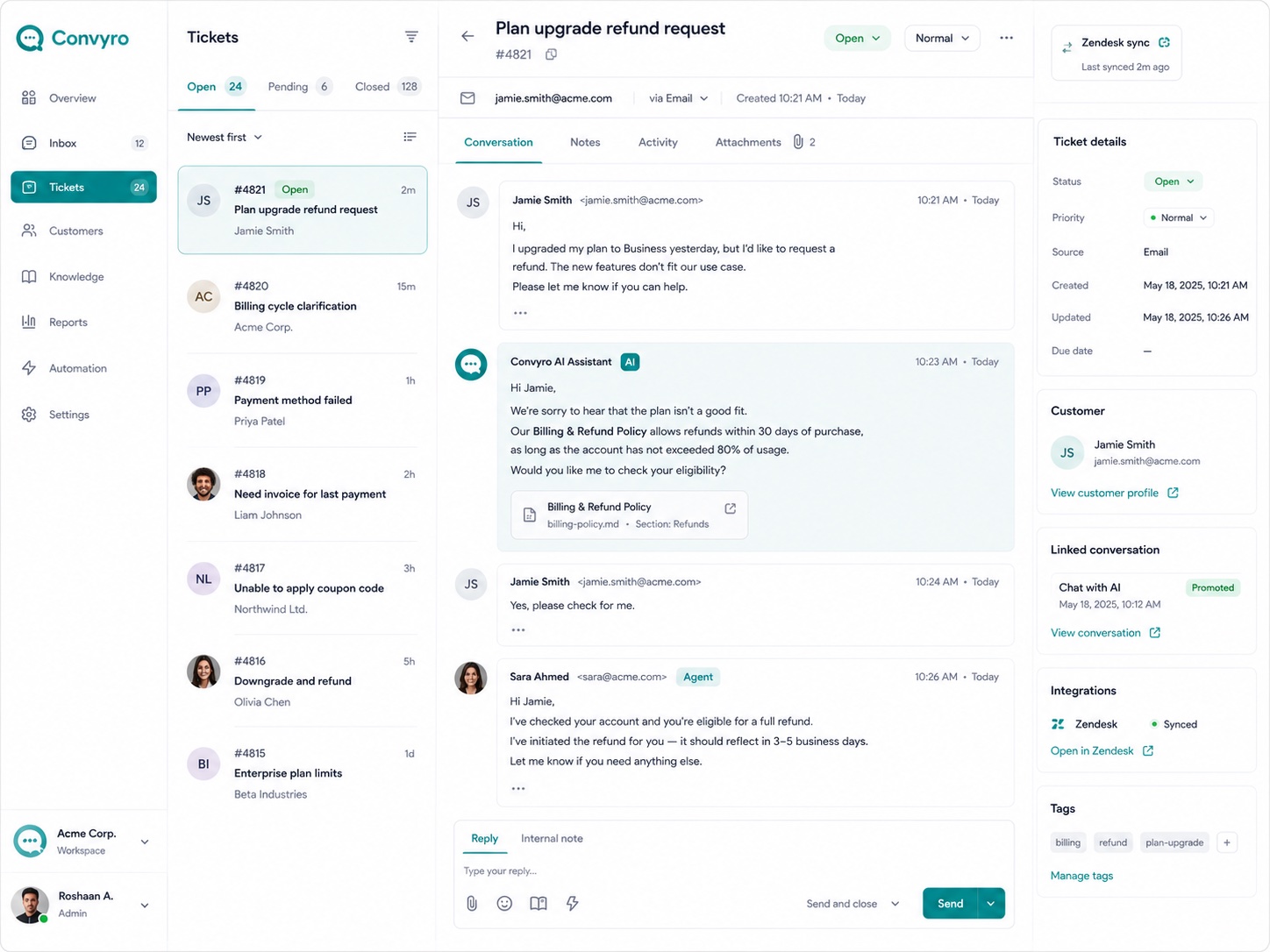
Turn requests that need more work into linked tickets. Keep the customer conversation connected to status, priority, notes, and activity until your team has worked through the next steps.
Included in Essential, Growth, and Enterprise.
THE WORK BEHIND GOOD SERVICE
A missing invoice needs a billing check. A product issue needs investigation. The customer has told you what happened, but the work is not finished. SentroDesk Tickets gives your team a place to track the remaining work without losing the original exchange.
WHAT YOUR TEAM CAN DO
Create a ticket linked to the customer conversation. Your team can refer to what was asked, what was tried, and what the customer was told.
Use status and priority to understand the request. Review notes and activity alongside the earlier messages when deciding what should happen next.
Return to the original exchange when preparing a reply. Keep the customer’s question and the work your team is tracking connected.
A PRACTICAL WORKFLOW
Use a familiar customer request to explore the workflow with your team.
Walk Through a DemoIdentify the part of the customer request that cannot be completed in chat.
Keep the original conversation available alongside the request details.
Review status, priority, notes, and activity as your team follows through.
PART OF THE SENTRODESK PLATFORM
AI Chatbot, Live Chat, and Tickets connect the answer to the follow-through. Growth adds Knowledge Base and Sentiment Analysis. Enterprise adds AutoQA.
BEFORE YOU GET STARTED
Tickets is included in Essential, Growth, and Enterprise, alongside AI Chatbot and Live Chat. All three plans use fixed per-user pricing with no hidden fees or additional charges.
Add the widget to your website or web platform, or integrate the SDK into your mobile app. Our team can explain the setup for your environment.
Choose Essential or Growth for a 14-day trial with no credit card required. Our team emails account details within 60 minutes; the trial begins when those details arrive. Enterprise evaluations are arranged with our team.
SEE IT WITH YOUR TEAM
Take a request from Live Chat into Tickets. See whether the next teammate can understand the issue and the work that remains.
14 days free. No credit card required.
Account details emailed within 60 minutes.