Add the widget.
Make support part of your web experience.
CUSTOMER SUPPORT FOR WEB & MOBILE TEAMS
Answer with AI, continue with your team, and track work beyond the chat. SentroDesk connects AI Chatbot, Live Chat, and Tickets in every plan. Growth adds Knowledge Base and Sentiment Analysis; Enterprise adds AutoQA.
Request Free Trial14 days free · No credit card requiredStart with questions your support content can answer, such as invoice instructions or product guidance. AI Chatbot uses the content your team provides, while an agent can continue in Live Chat when the customer needs a person. Included in every plan.
Available in Essential, Growth, and Enterprise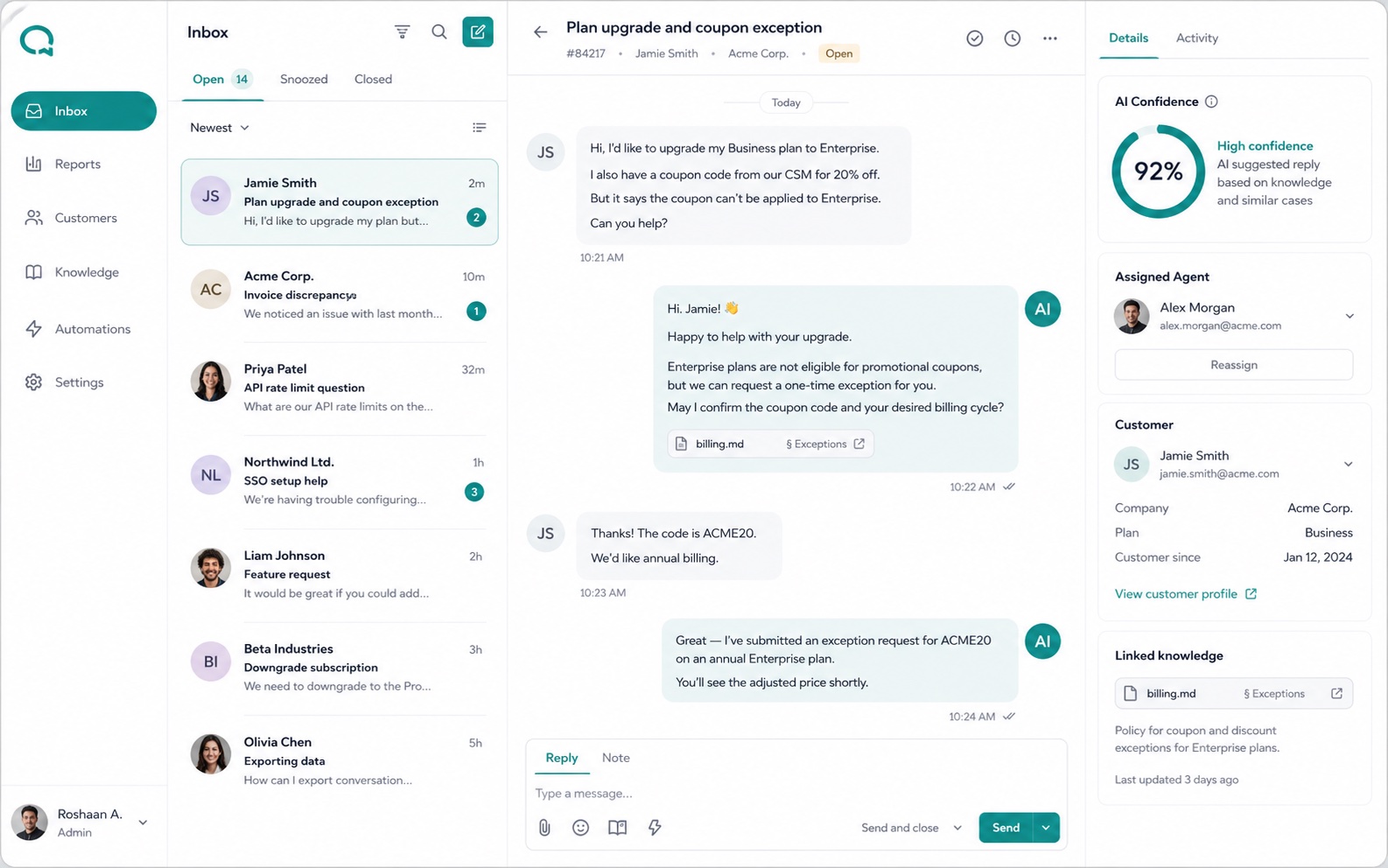
When AI or another teammate has already helped, the next agent needs to see what happened. Live Chat keeps earlier messages, available customer details, and ownership close to the reply. The conversation can continue without treating each handoff as a new request.
Available in Essential, Growth, and EnterpriseSome requests continue after the chat. Create a linked ticket and track status, priority, notes, and activity while keeping the original conversation available. Give the remaining work a clear place in your team’s follow-up.
Available in Essential, Growth, and Enterprise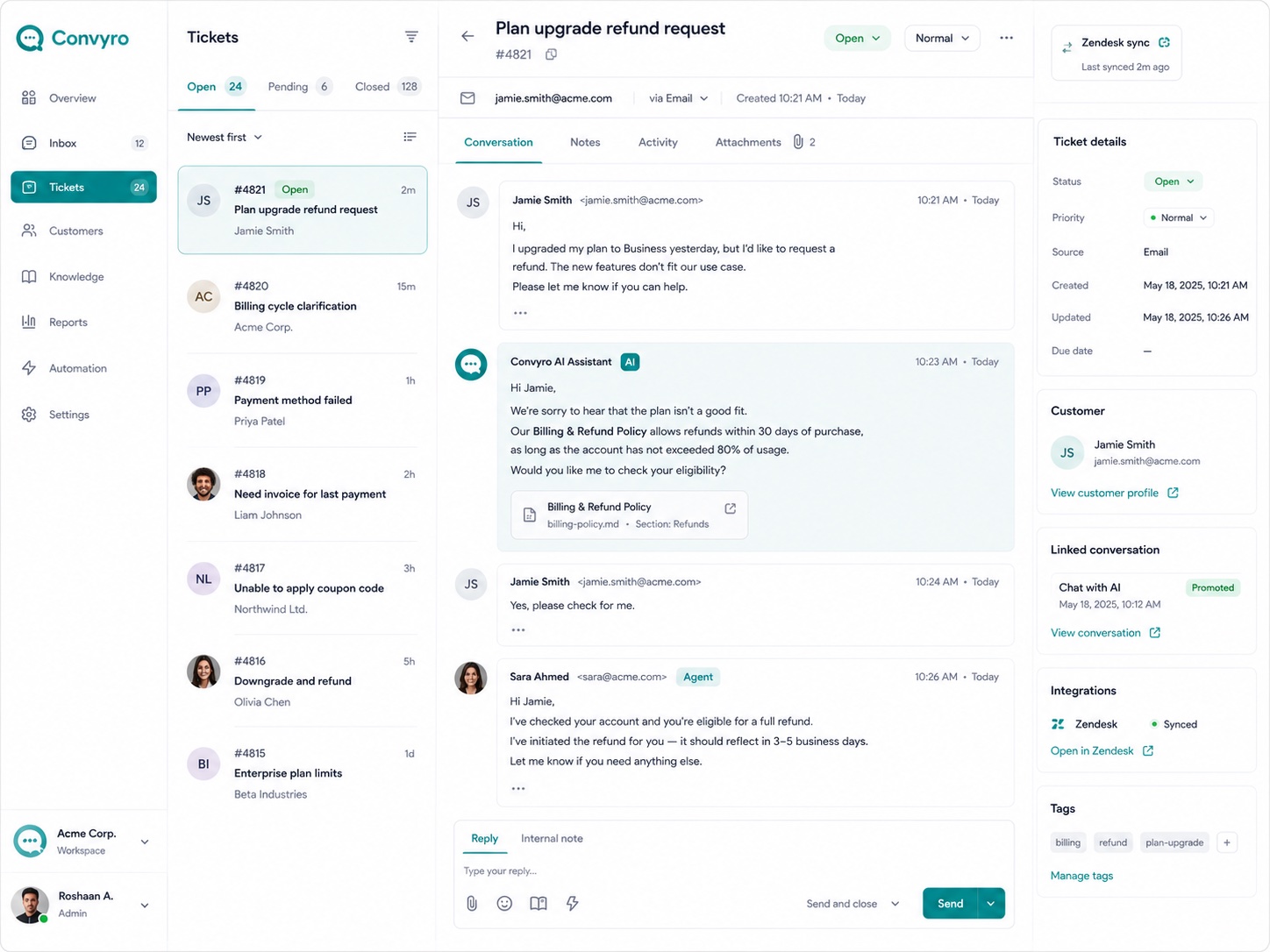
A request can be resolved while the customer still expresses uncertainty. Read sentiment insights alongside the messages to decide whether to clarify an answer, follow up, or offer further help. Included in Growth and Enterprise.
Available in Growth and EnterpriseHelp support leaders examine how a customer exchange was handled. AutoQA provides automated quality findings to consider beside the original messages, so your team can discuss specific improvements to replies, guidance, or follow-up. Included in Enterprise.
Available in EnterpriseBring product guides, policies, and FAQs into shared collections for AI answers and agent reference. Start with a familiar topic, publish the relevant sources, and review how they support the conversation. Included in Growth and Enterprise.
Available in Growth and Enterprise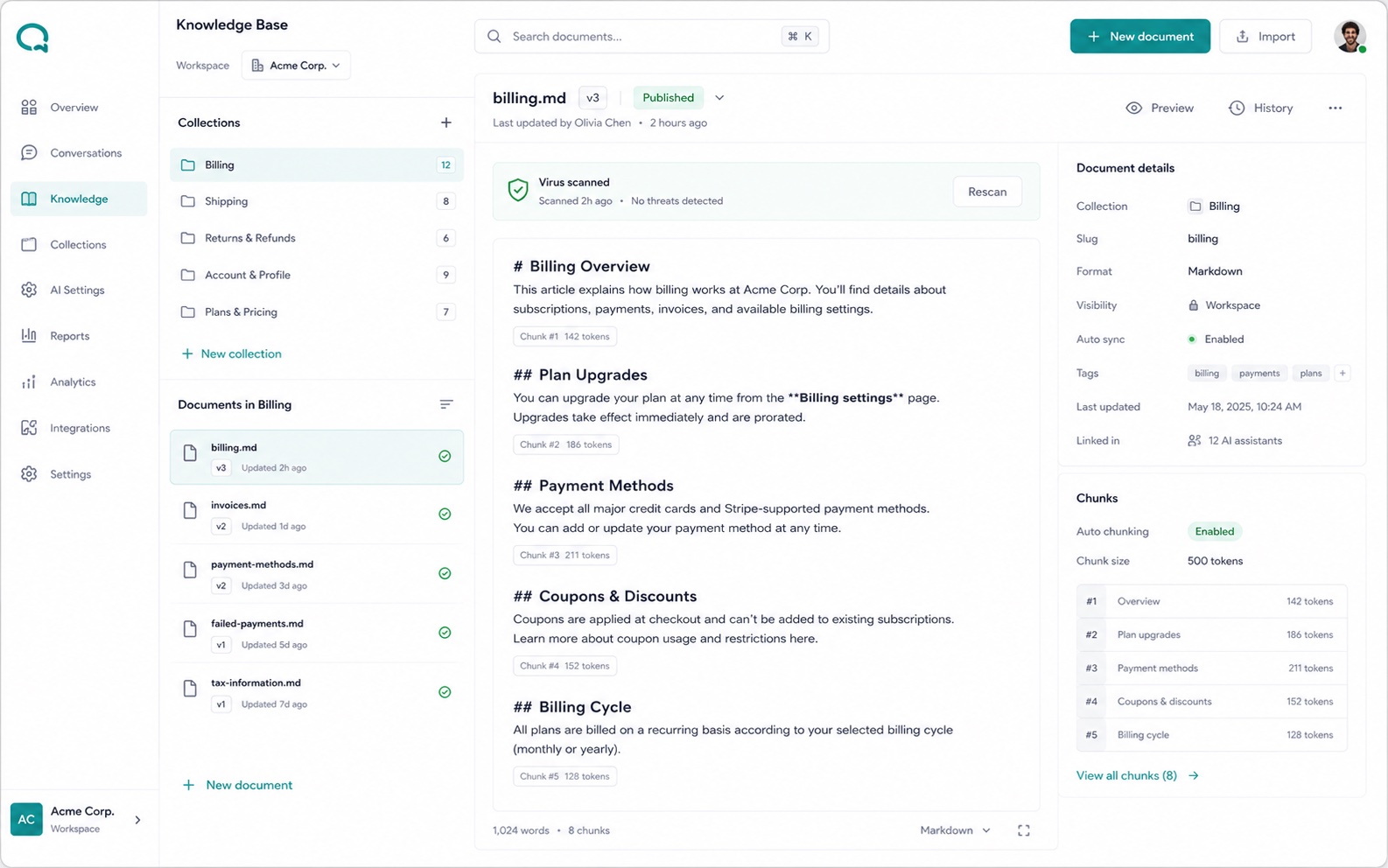
YOUR NEXT STEP
Compare Essential, Growth, and Enterprise, or request a demo to see the capabilities in your support workflow.